Strategy & Brand
How to brief a website video shoot that actually converts: a hands-on guide
Website video converts when it has a clear job to do. This guide shows how to brief a conversion focused video shoot, from choosing the right video type for each page to building a smart shot list and planning multiple edits, so your website video builds trust fast and drives enquiries.
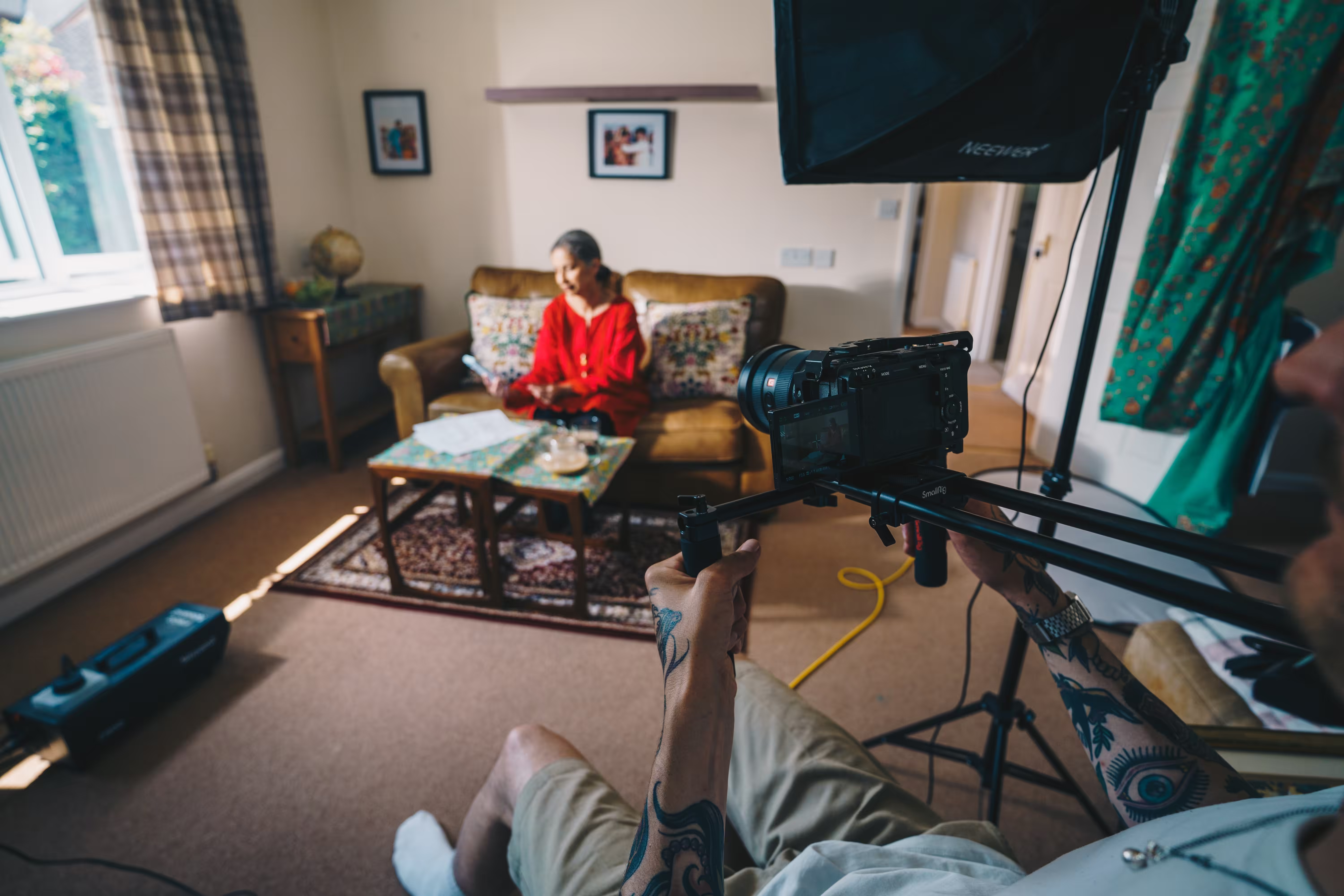
A website video that gets results starts with a brief that pushes production teams to answer the right questions before the camera turns on. What you tell the production company before they write the script shapes everything.
Most briefs get stuck on how the video should look, not what it needs to achieve. A proper brief ties your business goals to the creative decisions a video production agency makes.
When we worked with Purpose Homes, their brief made the main conversion clear: get potential buyers to book a virtual tour. That single detail changed the script’s call to action and where the video lived on the site.
Tour bookings jumped by 47% in the first month. That’s what happens when the brief gives the team something specific to aim for.
This guide covers how to brief a website video shoot that moves your business metrics. You’ll see what information a video production company needs to make something that converts visitors.
You’ll also get a sense of how to structure deliverables for your channels, and what budget conversations matter before production starts.
Set clear goals and business outcomes
Your video brief needs targets the production company can actually work towards. Without specific goals, you might get a video that looks great and does nothing.
Tie objectives to measurable results
Write down what you want to happen after someone watches your video. Do you need 50 new email signups per month? Maybe a 20% lift in product demo requests or five qualified leads each week?
Connect each objective to a number you can track. When we worked with Southampton Athletic Club, they wanted 30 new member signups in the first quarter. That shaped every decision in the shoot, right down to the call-to-action at the end.
Most video agencies will ask for these numbers straight away. If you can’t give them, your video strategy has a problem before filming even starts.
Decide what conversion means for you
Conversion means different things depending on your business model and where the video sits in your customer journey. For ecommerce, it might be purchases. For a service business, maybe it’s contact form submissions or phone calls.
Write down the single action you want viewers to take. Bridge Beauty needed bookings for consultations, so their website video made that easy and worth doing.
Their video showed the booking calendar on screen and mentioned availability three times in 90 seconds. State this conversion action in one clear sentence in your brief. Stick to one conversion per video.
Define KPIs for the video's success
Pick three to five metrics you’ll actually check once the video goes live. These should tie straight to your conversion goal.
Common KPIs for website videos:
- Play rate (percentage of visitors who start the video)
- Completion rate (percentage who watch to the end)
- Click-through rate on the call-to-action
- Form submissions from video viewers versus non-viewers
- Time on page for visitors who watch the video
Household Cavalry Museum tracked mobile play rates because 73% of their traffic came from phones. That told them if the video worked for their real audience.
Your video marketing strategy needs the same focus on what matters to your business.
Profile and prioritise your target audience
Your video won’t convert if you try talking to everyone. You need to know who’s watching, what stops them booking or buying, and where they actually spend time online.
Build detailed viewer personas
Start with actual data from your website analytics and customer records. Look at age ranges, job titles, and what pages they visited before they last converted.
If you run a property business like PHA Homes, your persona might be a 32-year-old first-time buyer who checks rightmove on their phone at lunch and worries about deposit size. Write three to five specific details for each persona.
Include their main goal (buying a house under £250k), their biggest obstacle (qualifying for a mortgage), and the question they ask most. One Southampton Athletic Club persona was parents of 8-year-olds looking for swimming lessons, browsing Facebook between 8pm and 10pm.
Give each persona a name and refer to them when briefing your agency. Say “this section needs to address Sarah’s concern about hidden fees” instead of “we should mention pricing”.
Identify audience pain points
List three problems your audience faces before they find you. These aren’t features, they’re frustrations that make them hesitate or put off decisions.
A care home might pick out families struggling to visit elderly parents, guilt about not providing care themselves, or confusion over funding. Match each pain point to a moment in your video.
If distrust is the issue, show real staff with their actual job titles in the first fifteen seconds. The Household Cavalry Museum addressed families’ uncertainty about what they’d see before buying tickets, and income went up.
Ask five recent customers why they nearly didn’t buy from you. Their answers show you what to tackle in your video.
Match content to platform habits
Your distribution channels decide video length, aspect ratio, and pacing. Instagram users stop scrolling in 1.3 seconds, so you need text overlay and movement right away.
LinkedIn viewers watch longer but expect professional credibility markers like case studies or data. Check where your existing customers found you and prioritise those platforms.
If 60% come through Google search, your video should sit on a service page with a transcript and answer a specific question people type in. Mobile traffic above 70% means vertical format and subtitles are essential, as the Household Cavalry Museum learned when they rebuilt their site.
Film different versions instead of chopping up one master edit. A 90-second website video won’t work as six Instagram stories just by slicing it up.
Detail the core message and call to action
Your video brief should specify what viewers need to understand and what you want them to do. If the production team has to guess, things fall apart in filming or editing.
Align messaging to user journey
Map your core message to where the viewer is in their decision process. Someone landing on your homepage needs a different message than someone deep in your service details.
A homepage video for a property developer might focus on available developments and viewing options. A service page video would explain the buying process and timeline specifics.
Your brief should state which page hosts the video and what the viewer already knows before they press play. The call to action changes based on this context.
Early-stage visitors might see “Browse current developments”. Someone on a case study page sees “Book a viewing”. List the page URL, the viewer’s likely intent, and the exact CTA text in your brief. This keeps the production team from making generic ending cards that don’t fit anywhere.
Balance brand voice with directness
Your brand personality matters, but the call to action needs clarity. Use plain terms that tell viewers exactly what happens next.
Test your CTA by reading it aloud. “Get started” isn’t clear enough. “Download the price guide” or “Request a callback” works because the outcome is obvious.
Include your brand voice guidelines in the brief, then note where the CTA needs to be more direct. Mention any required legal disclaimers or wording that compliance teams have signed off. This saves time and headaches when your video script comes back for approval.
Choose the best video format for your aim
Different video types need different formats and approaches. Sometimes a testimonial shot on a smartphone converts better than a polished product demo, if it matches what your audience expects.
Explainer video or how-to
Explainer videos and how-to content need to play smoothly across devices. These videos often use on-screen text, diagrams, or close-up shots that viewers need to see clearly.
MP4 with H.264 compression works for most explainer videos. It balances quality and file size, which helps when you’re walking someone through a process.
A 90-second explainer usually sits around 15-30MB in this format. How-to videos often get watched on mobile while someone’s trying to follow along, so you’ll want a format that loads quickly on 4G.
WebM can shrink file sizes by 20-30% compared to MP4 without losing visual quality, but you’ll need an MP4 fallback for Safari users. Keep the bitrate between 2,000-5,000 kbps for 1080p explainer content. Higher bitrates just increase file size without much visible improvement.
Testimonial video or case study
Testimonial videos rely on authenticity more than production polish. Pick a format that keeps facial expressions and voice clear, without making the video look overproduced.
MP4 is still the standard for testimonials, because compatibility wins over fancy compression. When Southampton Athletic Club filmed member testimonials on their clubhouse grounds, they used MP4 with H.264 at 1080p. The videos loaded consistently across all devices their members used.
Case study videos with screen recordings or data visuals need a slightly different approach. Use higher compression (WebM with VP9) for charts or website interfaces, then switch to MP4 for talking-head segments.
Audio quality matters most for testimonial videos. Use AAC audio codec at 128 kbps minimum, even if you drop video bitrate to shrink file size. If the sound is patchy, people won’t trust what they’re hearing, even if the video looks sharp.
Promo, social, and event videos
Promo videos have to work everywhere, so you’ll end up making a few versions from one master. What fits your website won’t always land as a social post.
For website promos, use MP4 with H.264. Export at 1920x1080 for desktop headers, and 1080x1920 for mobile-first layouts.
Event videos shot on phones usually come as MOV files. Convert them to MP4 before embedding.
Social platforms each want something different:
- Instagram and Facebook: MP4, under 4GB
- LinkedIn: MP4 at 30fps
- Twitter: MP4 or MOV, up to 512MB
Event videos move fast, jump around, and lighting can shift. Push your bitrate to 5,000-8,000 kbps or you’ll get motion blur and chunky compression during quick cuts.
Animated, product demo, and training formats
Animated videos compress better than live footage. Fewer colours and predictable movement help. WebM with VP9 codec shrinks animated files by 40-50% compared to MP4.
Product demos need detail but not huge files. If you’re showing software, export at the real screen size—usually 1920x1080—don’t bother upscaling to 4K.
Use H.265 if your viewers have modern browsers. It keeps quality up and file sizes down, better than H.264.
People rewatch training videos, so lazy loading helps. Only load the video when someone scrolls to it. MP4 with H.264 at 3,000-4,000 kbps holds up well, even when the whole team watches at once.
Animated explainers can go even leaner. A 60-second animation covering your service usually looks sharp at 1,500-2,500 kbps. They load much faster than live-action.
Plan creative: script, storyboard, and visual style
A video script gives visitors a nudge, a storyboard tells your team what to shoot, and a mood board keeps revisions from dragging on forever.
These three tools turn a fuzzy brief into something your crew can actually film.
Write a script built for conversion
Start your script with a problem your viewer already feels. If you’re selling property management software, lead with late-night rent chasing or spreadsheet chaos. Skip the company history.
End with one clear action. “Book a demo” beats “learn more about our solutions”. Put this single instruction in the final 10 seconds, and show it as on-screen text.
Keep it short. A 60-second video uses about 140-160 words. Southampton Athletic Club’s homepage video lasted 45 seconds because people clicked signup before it finished.
Count your words and read them out loud with a timer.
Write out all on-screen text. Supers and captions matter for mobile viewers and for accessibility.
Storyboard for clarity and flow
A storyboard maps each shot to a frame. You don’t need to draw well. Stick figures and boxes are fine if they show camera angle, subject, and text placement.
Mark where your call-to-action appears. If your script says “Visit our showroom”, your storyboard should show that text on a specific shot, usually the last frame or a mid-roll card.
Number every frame and match it to script lines. Your videographer will know that frame 4 means a close-up of hands on a keyboard, not a wide office shot. This saves time and avoids reshoots.
Purpose Homes shot three property videos in a day using a simple storyboard. Each frame listed the room, the angle, and if an agent was in the shot. No confusion, no wasted time.
Curate references and mood boards
Find 3-5 reference videos that match the look you want. Grab them from Vimeo, competitors, or YouTube. Share the exact timestamp—“0:23-0:34, the way text animates in” gives your team something to work with.
Build a mood board with screenshots from your references, plus your brand colours and fonts. Pin them in a shared doc or a tool like Milanote.
Be clear about what you don’t want. If your brief includes references, also note “no stock footage of people in suits shaking hands” or “avoid corporate montage style”. Household Cavalry Museum’s brief listed three heritage charity videos to avoid, as they felt too formal for their younger audience.
Reference videos end subjective debates. If someone says “make it more dynamic”, you can just point to frame 12 in your reference and say, “like this camera move”.
Specify deliverables, distribution, and timeline
If you’re not specific, production companies will hand over a single MP4 when you actually need square for Instagram, vertical for TikTok, and a short pre-roll version. Most video briefs fall down because they just ask for “a video”, then scramble for edits or end up with footage that doesn’t fit the platforms you care about.
List every asset and format required
Your brief needs a deliverables list covering every version you’ll use. One property developer asked for a single 90-second hero video and realised two weeks before launch they needed 16:9 for YouTube, 1:1 for Instagram, 9:16 for Stories, a 30-second cut for ads, and thumbnails. The production company quoted £1,800 for re-edits because aspect ratios weren’t in scope.
Write down the exact dimensions, lengths, and file types. If you need six versions, list them: 1920x1080 MP4 at 90 seconds, 1080x1080 MP4 at 60 seconds, 1080x1920 MP4 at 30 seconds, and so on. Don’t forget thumbnails, captions, or alternate audio if you’re running silent ads.
Mark what’s essential for launch and what’s just nice to have. Knowing your priorities helps when budgets get squeezed.
Tailor output for key distribution channels
Each platform has its quirks. A 3-minute explainer is fine on your website but won’t finish on LinkedIn, where 45 seconds gets watched more. Instagram Reels want vertical and captions burned in, while YouTube pre-roll needs the value up front—first five seconds, or people skip.
List your distribution channels in order of importance, and note any technical specs. Facebook video ads do better at 15 seconds with captions. Website hero videos can run longer if they auto-play on mute. For email campaigns, you might need an animated GIF or a static thumbnail that links out.
Production companies can’t optimise for channels you don’t mention. When Southampton Athletic Club briefed their membership video, they said YouTube was primary and Instagram secondary, so the editor shot for both 16:9 and 1:1 without weird cropping.
Set a production and editing schedule
Video projects run in stages: pre-production planning, shoot day, rough cut, revisions, and delivery. Each one needs a deadline, and each depends on the last. If you need the video live by 1st June, work backwards to set milestones that leave room for feedback without last-minute panic.
A typical schedule for a single-location shoot: brief approval week one, pre-production and script by week three, shoot day week four, rough cut by week six, revisions week seven, final delivery week eight. Rush jobs cost more; agencies often add 20-30% for tight turnarounds.
Plan for two rounds of revisions. The first catches big stuff like pacing or missing shots, the second deals with colour or text tweaks. Minor amends can happen in 48 hours, but script changes or re-shoots take longer.
If several people need to approve, give them time in your schedule. A good template should name who signs off on what, and when—three people giving conflicting notes in week seven derails everything.
Budget, stakeholders, and production partners
Your website video only works if the right people decide, the budget matches reality, and your production partner gets what conversion means.
Be open about budget bands early
Tell your agency what you can spend before anyone wastes time pitching ideas you can’t afford. A £5,000 budget and a £25,000 budget buy very different things.
Most production companies work in bands. A single-day shoot with one presenter and simple edits might run £3,000 to £8,000. Multi-day shoots with actors, locations, and graphics can hit £15,000 to £40,000. Needing multiple versions for different pages bumps up the scope.
For Household Cavalry Museum’s promo, we set the budget range up front. That let the team plan for one location, natural light, and a small crew. The video drove a 43% jump in advance bookings because the spend went on the right things—script and platform-specific edits.
If your budget’s fixed, say so. If it’s flexible, explain what would unlock more. Vague answers mean proposals miss the mark.
Assign decision makers and approvers
One person should own the brief and final calls. If five people can veto the edit, you’ll get a video by committee that pleases nobody.
Decide who signs off on the script, who approves the rough cut, and who can say it’s finished. Bring in sales if the video helps them, but don’t give everyone a vote.
At Southampton Athletic Club, the marketing lead ran the brief and the head coach checked messaging. Two decision makers, clear roles. The video went live in four weeks and trial bookings jumped 60%.
Your production company will ask who they report to. Give them one name.
Choose and brief your production team
Not every video production agency gets conversion. Some focus on glossy brand films that look good but don’t shift behaviour. Others go for performance content, keeping things clear and action-focused, sometimes at the expense of style.
Ask production partners how they track success. If their answer stops at views or engagement, keep looking. If they ask about your landing page, your audience’s usual doubts, and what happens after someone watches, you’ve found a team that thinks about conversion.
When you brief your team, hand over your customer research. Share the questions your sales team hears again and again. Show them your current landing page so they see where the video fits. Let them talk to whoever knows your audience best.
The Purpose Homes production team met with the sales director before filming. They wanted to understand why buyers hesitated over new-build quality. That shaped the script and helped the video drive serious revenue growth by tackling real concerns straight away.
What to send: templates and briefing docs
Your video team needs documents that turn business goals into usable content. A solid brief cuts down on revisions, keeps the shoot moving, and makes sure your video actually converts.
Video production brief templates
A video production brief template covers project objectives, target audience, key messages, and deliverables. Start simple: what action do you want viewers to take, where will the video live, and what does success look like in numbers?
Spell out shoot locations, talent needs, and any brand guidelines. Mention run time, style references, and technical specs like aspect ratio and resolution. If you want a 60-second vertical video for Instagram that brings in demo requests, say so.
Add a section for must-have shots and B-roll. For a corporate video, this might mean office scenes, team chats, or product demos. List any existing assets the crew can use, like logos, fonts, or colour codes.
Break down the budget and approval steps. Say who signs off at each stage: script, storyboard, rough cut, and final delivery.
Creative brief examples and checklists
A creative brief template focuses on the idea behind the video. The videography brief handles the nuts and bolts. Your creative brief needs to answer why you’re making this video and what sets your message apart.
Start with audience pain points and how your product fixes them. If you’re targeting facilities managers, spell out what keeps them up and how your video addresses that. Add tone of voice guidelines with real examples, not just “professional yet friendly.”
Include a checklist: where the call to action goes, brand mentions, testimonials, and legal bits. Say what you want viewers to feel at each stage. Reference videos that actually worked, and show the numbers behind them.
Attach a shot list tied to conversion goals. If clear UI drives signups, the brief should demand screen recordings with proper callouts.
Frequently asked questions
Most questions about briefing a website video come down to what format to ask for, how much detail to give, and which conversion action to focus on. The answers shift depending on where the video sits and what you need it to do.
What should go in a video production brief for a website homepage hero video?
Start with the conversion goal. If your homepage hero video should drive demo bookings, say that. If it’s meant to move visitors to a pricing page or case study, include the specific URL.
Say who you’re talking to and what brings them to your site. A homepage video for a property developer selling luxury flats needs a different pace and tone than one for a sports club turning browsers into members. Southampton Athletic Club’s homepage video, for example, highlights facility access and community, since that’s what turns casual interest into paid membership.
Write the core message in one sentence. Something like “We help B2B SaaS companies fix their positioning in 8 weeks” or “Book a valuation in under 60 seconds.” That shapes the script, visuals, and call to action.
Give the production team your brand guidelines, website copy, and any competitor videos you want to avoid. If you’ve got high-performing written CTAs, share the exact wording so the video matches it.
Which conversion goal should the video be built around, sign-ups, enquiries, or sales?
Pick one. A video built for email sign-ups will have different pacing and script than one pushing for a purchase or call.
If your average sale takes three touchpoints and a 20-minute call, focus the video on booking that call. If you’re selling a £15 product with low consideration, the video can push straight to checkout. Purpose Homes used video to drive enquiries for property viewings, not instant buys.
Check your funnel. If 60% of homepage visitors reach pricing but only 5% convert, the video should answer objections or build trust, not repeat what’s already there. If bounce rate is high and time on page is under 10 seconds, the video needs to grab attention and show value fast.
What do you need to give the videographer, script, storyboard, shot list, or all three?
It depends on the setup. If the production team handles creative, give them the brief and let them write the script. You’ll approve it before shooting. If you’re hiring a videographer to film set shots, you need to provide the script, shot list, and ideally a storyboard so they know what to film and in what order.
For a homepage hero video, the shot list matters more than a storyboard. Specify if you want close-ups of people, wide shots of your office, screen recordings, or b-roll of your team. Household Cavalry Museum’s video had specific shots of artefacts and visitor interactions because those visuals supported the ticket sales goal.
Write the script first. Then build the shot list around it. If your script says, “We’ve helped over 200 companies fix their positioning,” the shot list should include footage that backs that up, like a montage of client logos or testimonial clips.
How do you decide the right video length for desktop and mobile, for example 15 seconds versus 60 seconds?
Check your analytics. If mobile users spend under 20 seconds on the page, a 60-second video won’t get watched. If desktop users spend two minutes on your homepage, a 15-second video probably won’t be enough.
For homepage hero videos, 30 to 45 seconds works for most sites. That covers one core value and a clear next step without losing people. Household Cavalry Museum’s video ran around 40 seconds, giving mobile visitors enough context to buy tickets without dragging things out.
Test both if you can. Serve a 15-second version to mobile and a 45-second version to desktop, then compare conversion rates after two weeks. If the shorter one wins on both, cut the long one.
Autoplay videos on homepage heroes should be shorter. If the video autoplays on mute, 20 to 30 seconds is enough. If visitors have to click play, you can stretch to 60 seconds since they’ve already shown intent.
What does a realistic timeline look like from briefing to final export across the five production stages?
Plan for four to six weeks from brief to final video if the team handles script, shoot, and edit. Usually, that means a week for brief and script approval, a week for pre-production, one day to shoot, then two to three weeks for editing and feedback.
If you write the script in-house and only hire a videographer, you can do it in three weeks. One week for your script and shot list, one day to film, and up to two weeks for editing depending on feedback rounds.
Add a week if several people need to sign off on the final cut. Internal sign-off slows things down more than production. If your legal team or CEO needs to see every frame, plan for that at the start.
Rush jobs cost more and usually turn out worse. If you need a homepage video live in under two weeks, expect to pay extra and accept fewer revision rounds.
Which formats and deliverables should you ask for, such as 16:9, 1:1, 9:16, and captioned versions for autoplay?
Start with 16:9 as your main format. It fits website embeds, YouTube, and most desktop viewing without awkward cropping.
If your homepage hero section is full-width, 16:9 fills the space neatly. No black bars, no weird crops.
Always ask for a captioned version if you want autoplay. Browsers usually mute videos, so captions let people actually follow along without clicking anything.
Purpose Homes added captions to their property videos for this reason. Mobile users hardly ever unmute, and captions bumped up watch time by 40%.
If you want to use the video on social media, get 1:1 (square) and 9:16 (vertical) cuts made at the same time. Editing these later usually costs more.
Add us as a preferred source on Google.
If this article has been useful, let us know!
We’re a remote studio founded in Hampshire, working across the UK and worldwide. If you want conversion focused website video, we can plan the shoot, capture the right footage, edit it into usable assets, and build the pages it lives on.
Find out more
Book a free intro call to talk through your needs.