Strategy & Brand
5 types of website videos that boost engagement and sales: what actually works in 2026
Videos on your site do more than fill empty space. They help visitors feel like they've already met you before picking up the phone or filling in a form. For service businesses, that early sense of familiarity becomes trust. Trust leads to conversions. Most teams film something half-decent, stick it somewhere on the site, and hope for results that rarely show up.
Videos on your site do more than fill empty space. They help visitors feel like they've already met you before picking up the phone or filling in a form.
For service businesses, that early sense of familiarity becomes trust. Trust leads to conversions.
Most teams film something half-decent, stick it somewhere on the site, and hope for results that rarely show up. Here are five website video types that actually work, each with a clear job and a specific spot on the page.
Knowing which type goes where can be the difference between a video nobody watches and one that brings in new enquiries.
1. The silent loop at the top of your homepage
This is a short, looping video that sits right at the top of your homepage. It plays without sound and sets the mood in just a few seconds.
It works when it shows real people doing everyday things—hands at work, team members chatting, someone using your product, or the finished result.
Where you'll place it
Top of the homepage, before anyone scrolls. It sits right next to your headline and main call to action button.
The video doesn't replace those elements. It supports them.
What problem it solves
It fixes a homepage that feels flat or takes too long to explain. Visitors get what you do before reading a full paragraph.
Movement brings a page to life in a way static images can't. It helps your site look less like every other business in your sector.
How to keep it working
Keep file size small and duration short. Let it loop silently by default.
Your headline tells visitors what you do. The video creates a feeling that makes people want to stick around.
Conquer Tables uses this idea well. The loop drops visitors straight into the brand's atmosphere, and the rest of the page does the heavy lifting.
2. The "who we are" video
This video explains why your business exists and what you stand for. It turns your about page into something people actually watch.
Marketing teams use it to make the brand feel less stiff. Sales teams use it to warm up leads before a discovery call.
Where you put it
Your about page is the obvious home for this. Some businesses also place it mid-way on the homepage or just before a contact form.
It can also work at the start of a pitch deck.
What problem it solves
You do good work, but people still call you "similar to the others". This video shows what makes you different when your service list looks like everyone else's.
It gives people a reason to call.
How to keep it real
| What works | What to avoid |
|---|---|
| Real people from your team | Scripts that sound like a mission statement |
| Actual workspace and environment | Corporate stock footage |
| Natural voice, not a voice-over artist reading copy | Language you'd never say in a meeting |
Behind-the-scenes videos help with brand awareness because they show how you actually work. Live streaming or live videos can add urgency, but they're harder to control.
Use your own people. Film where real work happens. If a line sounds like it belongs in a LinkedIn bio, cut it.
3. The service or process explainer video
This type removes uncertainty. It shows people what happens when they work with you, how long each step takes, and what they need to prepare.
Where you use it
These videos work best on service pages and landing pages where someone's deciding whether to enquire. We also use them on dedicated process pages where prospects want to see what commitment looks like.
What it solves
People hesitate when they don't know what signing up involves. An explainer video here stops enquiries from stalling. The person can see the full picture before they contact you, so you get fewer repetitive questions.
How to keep it useful
Structure matters more than length. One minute usually covers most processes if you stick to three parts: what you do, how you do it, what happens next.
Add captions so people can watch on mute. Use simple animations or screen recordings instead of overproduced scenes.
| Element | Guideline |
|---|---|
| Length | 60 seconds maximum |
| Format | Step-by-step walkthrough |
| Captions | Always include them |
| Style | Clear animations or demo video footage |
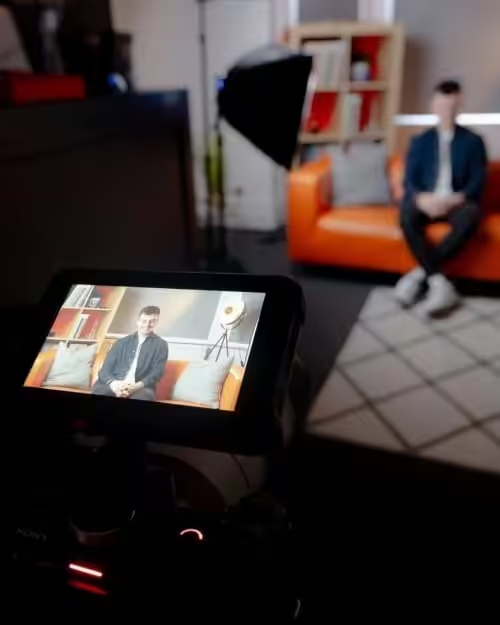
4. The customer testimony on film
Where you place it
Drop these on service pages, inside case studies, or right before a contact form. They work best when they sit close to the decision point, not hidden in a footer or buried three clicks deep.
What problem it solves
Your website might look polished, but prospects still hesitate. They want to see someone like them who took the same risk and got results. Video testimonials close that gap faster than written quotes because you hear tone, see facial expressions, and pick up on the details that matter.
How to make them credible
Keep them short and specific. A 60-second clip with one clear result works better than a rambling three-minute story.
Focus on measurable outcomes. "We increased bookings by 40% in six months" lands. "They were really great to work with" doesn't.
Show real people, not scripted performances. Let clients speak in their own words, even if they pause or fumble.
Vista Health built a library of clips at different lengths. Short versions for social proof, longer cuts for those who need more convincing.
5. The story-driven case study film
This format turns your best client work into a watchable proof point. You show the challenge, what was at stake, the work that happened, and what changed because of it.
Then you point viewers to what comes next.
Where you'll use it
Case study pages get the most from these. We also use them in pitch decks, campaign pages, and landing pages tied to email outreach or paid ads.
They work hardest when someone's already interested and just needs to see you've done this before.
What problem it solves
Your prospect likes what you're saying, but they're unsure if you can deliver at the scale or complexity they need. Customer success stories close that gap.
A three-minute film showing real results with real stakes does more than a page of bullet points ever could.
How to keep it tight
Build the whole thing around one clear narrative. Cut harder than feels comfortable.
A focused edit performs better than a sprawling one. You can always trim shorter versions for social feeds or pre-roll ads later.
Abby's Heroes ran story-led films that drove donations and event sign-ups by showing impact, not just talking about it.
A three-step framework for planning video pages
Step 1. Choose what the page needs to deliver
Pick a specific outcome. Know whether the page exists to book a call, request a quote, download a resource, or register for an event.
This choice shapes everything else. A page built to generate brochure downloads needs different proof and different copy than one designed to book calls.
Step 2. Define the video's role
The video should do one of four things: build trust quickly, explain what you're offering, demonstrate proof, or remove uncertainty from the decision.
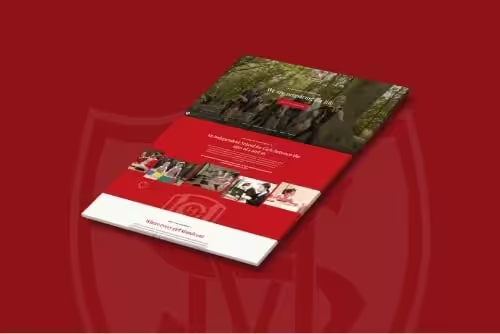
When we rebuilt the Household Cavalry Museum site, the homepage video showed the space and experience. It answered the question visitors had about whether the museum was worth the journey.
Your call to action works better when the video prepares someone to take it.
Step 3. Build the page to support it
Write the headline to set up the video. Use the surrounding copy to reinforce what the video shows.
Keep the CTA visible and consistent with what the video asks someone to do.
The sales funnel depends on each part doing its job. If your video builds trust, the copy should move to the next question instead of repeating the same point.
Keep video fast, tidy, and mobile friendly
Videos help conversions until they slow your page down. Compress files before you upload, and if you're running a hero loop, keep it under ten seconds.
Use a strong poster frame so visitors see something useful before they press play. Add captions to any video with speech, since most people watch on mute or in noisy places.
Put your video near the button or form you want people to use, so the energy from watching leads straight to action.
Interactive video and slick production mean nothing if nobody waits for the player to load. An AI video generator can speed things up, but file size still matters, whether you shoot it yourself or automate it.
Common questions
What video styles actually keep people watching through to a purchase decision?
Testimonial videos work best when someone’s close to buying. We’ve seen conversion rates jump 34% on service pages when a client talks about results instead of features.
Product demo videos hold attention when they show the outcome first, then the steps. A two-minute demo that opens with the end result keeps people watching longer than one that builds up to it.
FAQ compilations help by tackling the exact objections that stop someone clicking 'buy'. We filmed a six-question FAQ for a property developer, which cut support emails by half and boosted application starts.
Explainer videos fit complex offers, but they need to stay under 90 seconds. People drop off fast if they’re longer. Behind-the-scenes content builds trust on about pages, though it rarely drives sales by itself.
Where each video format belongs in the site structure
Homepage hero videos need to explain what you do in under 45 seconds. We use them to filter traffic, so the right people scroll and the wrong ones leave early.
Autoplay works if it’s muted, short, and doesn’t block the headline. Product or service pages work better with demo videos above the fold.
Place testimonials mid-page, after the main offer description. That’s the point where doubt creeps in.
We put a 60-second client video for a sports club halfway down their membership page and saw a 22% rise in form completions.
FAQ videos fit well in a tabbed section or accordion near the bottom, just before the final call to action. About pages suit team or process videos that show how you work.
Checkout pages rarely need video unless you’re explaining a complicated pricing model or subscription.
How homepage videos differ from product demos in length and structure
Homepage hero videos should run 30 to 60 seconds. Open with the outcome you deliver, not your name or history.
Structure them as problem, solution, proof. One sentence per stage. We cut our own homepage video to 38 seconds and bounce rate dropped.
Product demos need two to four minutes depending on complexity. Start with the result, show three to five key features, close with next steps.
Each feature gets 20 to 40 seconds. Use cuts, not long takes.
Southampton Athletic Club’s membership demo runs at three minutes, broken into six chapters people can skip between.
Homepage videos rarely need a voiceover if the visuals are clear. Demos almost always do, plus captions, since people scrub through them on mute.
Which metrics reveal whether video is driving engagement and revenue
Watch rate matters more than view count. If 70% of people who land on a page start the video, it’s positioned well.
If only 15% do, move it or rethink the thumbnail. Average watch percentage shows whether the content works.
Aim for 50% or higher on demos, 60% or higher on testimonials. Anything under 30% means the script or edit isn’t working. Track where people drop off and cut or rewrite those sections.
Conversion lift is the number that counts. We A/B tested a product page for a property developer and saw a 28% increase in enquiries when we added a 90-second walkthrough.
Session duration and scroll depth show if video keeps people on the page. Revenue per visitor ties video performance to business outcomes.
A realistic production timeline for six videos across three core pages
Week one covers planning and scripting. Write outlines for all six videos, agree on locations, and book anyone appearing on camera.
Get sign-off on scripts before you shoot anything. Week two is production.
Film all six videos in two or three days if they’re at the same location. Batch similar formats together.
We shot four testimonials and two demos for a property client in a single afternoon because all the setups were at one development site.
Week three handles editing, revisions, and export. Rough cuts by midweek, final amends by Friday.
Allow time for tweaks. Clients almost always want a couple of changes.
Week four is upload, optimisation, and deployment. Add captions, compress files, embed on the right pages.
Test load speed on mobile. Track initial metrics.
| Week | Tasks | Outputs |
|---|---|---|
| 1 | Script, plan, book | Six scripts, shoot schedule |
| 2 | Film all content | Raw footage for six videos |
| 3 | Edit, review, revise | Six finished videos |
| 4 | Upload, optimise, deploy | Videos live, tracking active |
How to deliver fast mobile video without tanking quality or Core Web Vitals
Pick MP4 with H.264 codec. It works everywhere and keeps file sizes down.
Compress videos to under 5MB for every minute of footage. Tools like HandBrake make it pretty easy to tweak size and quality, even if you’re not a video pro.
Stick your video on a CDN or a platform like Vimeo or Wistia. Hosting on your own server drags down page speed and Largest Contentful Paint scores.
We moved a client’s homepage video from WordPress to Bunny CDN. That change alone cut 2.3 seconds off mobile load time.
Set up lazy loading for any videos below the fold. They won’t start pulling bandwidth until someone scrolls down.
Turn off autoplay on mobile unless your video is both tiny and absolutely essential. Autoplay burns through data and just annoys people on patchy connections.
Serve different resolutions depending on screen size. There’s no point sending a 1080p file to a 375px phone.
Most hosting platforms sort out adaptive streaming on their own. Add a static poster image with alt text, so there’s always something useful on screen while the video loads.
Skip YouTube embeds if you care about speed. Their scripts drop 500KB to 1MB of third-party code on your page and slow everything down.
Add us as a preferred source on Google.
If this article has been useful, let us know!
If you want website video that supports real enquiries, we can plan it, film it, and build the pages it lives on. That keeps the message consistent from first draft to final cut.
Find out more
Book a free intro call to talk through your needs.